
A secure Databricks platform requires more than well-designed pipelines. It also needs a clear identity model: who can enter each workspace, which compute resources they can use, what data they can access, and which identities run production workloads.
When users and permissions are managed separately in each workspace, administration quickly becomes inconsistent. Teams accumulate direct grants, outdated accounts, and service dependencies tied to individual employees.
The better approach is to manage identities centrally at the Databricks account level and assign access through account-level groups.
In this guide, I explain how to structure users, groups, service principals, workspace entitlements, and Unity Catalog permissions without creating unnecessary administrative overhead.
Start with Account-Level Identity Management
Identity federation allows users, groups, and service principals to be managed at the Databricks account level and then assigned to specific workspaces.
This is the recommended model for modern Databricks environments. Workspace-local groups are a legacy mechanism and should not be used as the foundation of a new Unity Catalog implementation. New workspaces have identity federation enabled by default.
The identity provider should remain the source of truth. Databricks should consume centrally managed identities rather than becoming a second directory that administrators maintain manually.
Users, Groups, and Service Principals
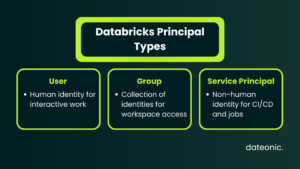
Databricks uses three main types of principals:
| Principal | Purpose | Recommended Use |
|---|---|---|
| User | A human identity | Interactive work, notebooks, queries and administration |
| Group | A collection of users or service principals | Workspace assignment, entitlements and access control |
| Service principal | A non-human identity | CI/CD, scheduled jobs, integrations and automation |
Access should be assigned through groups wherever possible.
Direct grants to individual users may occasionally be justified, but they should remain exceptions. A group-based model makes onboarding, role changes, and offboarding easier to manage.
Use Service Principals for Production Workloads
Production jobs should not depend on an employee’s account.
If a scheduled pipeline runs as an individual engineer and that account is disabled, the job may lose access to the workspace, data, secrets, or compute resources it needs.
A dedicated service principal separates the workload lifecycle from the employment lifecycle of any one person. Databricks specifically recommends service principals for CI/CD pipelines, scheduled jobs, infrastructure automation, and cross-system integrations.
Each service principal should receive only the permissions required for its workload. Avoid using one highly privileged automation identity for every production pipeline.
Synchronize Identities from Your Identity Provider
For supported identity providers, Databricks recommends Automatic Identity Management. It synchronizes identities and group memberships from the identity provider without requiring a separate SCIM provisioning connector.
Automatic Identity Management currently supports users and groups, with service principal and nested-group synchronization available for Microsoft Entra ID. Account-level SCIM provisioning remains an appropriate alternative for environments or identity providers where automatic synchronization is unavailable.
A practical model looks like this:
- Create and manage users and groups in Microsoft Entra ID, Okta, or another supported identity provider.
- Synchronize them with the Databricks account.
- Assign selected groups to the required workspaces.
- Configure workspace entitlements.
- Grant access to data and AI assets through Unity Catalog.
When someone leaves the organization, deactivating or removing them in the identity provider triggers their deactivation in Databricks according to the configured synchronization mechanism.
This process is not always immediate. Databricks may refresh group memberships during login, token authentication, or job execution. Personal Access Tokens should also be reviewed during offboarding because deleting a user in the identity provider does not automatically revoke every existing token.
Databricks accounts currently support up to 10,000 users and service principals combined and up to 5,000 groups. Large organizations should account for these limits when designing their group structure.
Separate the Layers of Access
One of the most common mistakes is treating Unity Catalog as the only permissions layer.
A Databricks platform has several separate access layers:
| Layer | What It Controls |
|---|---|
| Identity provider | Identity lifecycle and group membership |
| Databricks account | Account identities, roles and workspace assignment |
| Workspace entitlements | Access to the workspace, Databricks SQL and compute creation |
| Workspace permissions | Jobs, notebooks, SQL warehouses, compute policies and other workspace objects |
| Unity Catalog | Catalogs, schemas, tables, volumes, functions and registered models |
Unity Catalog governs data and AI assets registered within its security model. It does not replace workspace access, job permissions, compute policies, or SQL warehouse permissions.
A user may therefore have permission to enter a workspace but still lack access to a catalog. Conversely, Unity Catalog privileges alone do not automatically grant access to every workspace-level resource.
Implement Group-Based Access
Groups should reflect responsibilities rather than individual projects or employees.
A simple structure may include:
- data-engineers
- data-analysts
- data-scientists
- ml-engineers
- platform-admins
- finance-data-readers
- production-job-runners
Avoid creating one group for every table or temporary request. Overly granular group structures become difficult to understand and maintain.
Data Engineers
Data engineers typically need:
- Workspace access
- Access to approved compute policies
- Permissions to manage selected jobs and pipelines
- Unity Catalog privileges for the catalogs and schemas they maintain
They do not necessarily need unrestricted cluster creation.
Instead of granting allow-cluster-create to the entire group, allow engineers to create compute through approved compute policies. This limits runtime versions, node types, autoscaling ranges, security modes, and other cost or governance settings.
Data Analysts
Analysts may need:
- Databricks SQL access
- Permission to use selected SQL warehouses
- Read access to approved Unity Catalog schemas and tables
- Access to dashboards and Genie spaces
They usually do not need permission to create general-purpose compute.
Platform Administrators
Keep the number of account and workspace administrators small.
Account administrators manage account-level identities, workspace assignments, billing-related settings, and account-wide configuration. Workspace administrators manage settings and permissions within a specific workspace.
Unity Catalog administration may also involve metastore administrators, catalog owners, schema owners, or users with delegated MANAGE privileges.
Assign Entitlements Explicitly
Workspace entitlements control whether a principal can:
- Access the workspace
- Access Databricks SQL
- Use the restricted Databricks One experience
- Create unrestricted compute
- Create instance pools
Databricks is moving toward explicitly assigning entitlements when principals are added to a workspace. Do not rely on access inherited from the system users group. Define the required entitlements for each account-level group.
The system admins group remains highly privileged and should not be used as a convenient way to resolve ordinary access problems.
Manage Workspace Access with Terraform
If your identity provider is the source of truth, Terraform should generally not recreate users or group memberships inside Databricks.
A cleaner model is:
- Synchronize the group from the identity provider.
- Look up the existing account-level group.
- Assign it to a workspace.
- Configure its workspace entitlements.
- Manage Unity Catalog grants separately.
The following simplified example assigns an existing account-level group to a workspace and grants workspace access:
provider “databricks” {
alias = “account”
host = var.databricks_account_host
account_id = var.databricks_account_id
}
provider “databricks” {
alias = “workspace”
host = var.databricks_workspace_url
}
# Group already synchronized from the identity provider
data “databricks_group” “data_engineers” {
provider = databricks.account
display_name = “data-engineers”
}
# Assign the account-level group to the workspace
resource “databricks_permission_assignment” “data_engineers” {
provider = databricks.workspace
principal_id = data.databricks_group.data_engineers.id
permissions = [“USER”]
}
# Define workspace entitlements explicitly
resource “databricks_entitlements” “data_engineers” {
provider = databricks.workspace
group_id = data.databricks_group.data_engineers.id
workspace_access = true
depends_on = [
databricks_permission_assignment.data_engineers
]
}
Account-level and workspace-level operations require the correct provider context. Entitlements for account-level groups must be configured through a workspace-level provider.
Access to approved compute policies, jobs, warehouses, and Unity Catalog objects should be managed through separate resources. This keeps workspace entry, compute access, and data access clearly separated.
Production Identity Checklist
Before moving a Databricks environment into production, verify that:
- Identities are managed centrally at the account level.
- Automatic Identity Management or account-level SCIM is configured.
- Workspace-local groups are not used for Unity Catalog access.
- Production jobs run as service principals.
- Workspace access is assigned through groups.
- Entitlements are defined explicitly.
- Compute creation is controlled through policies.
- Unity Catalog privileges follow least privilege.
- Account and workspace administrator membership is reviewed regularly.
- Offboarding includes token and session review.
- Identity and permission changes are captured in audit logs.
- Terraform changes are reviewed before deployment.
Frequently Asked Questions
What is the difference between an account admin and a workspace admin?
An account admin manages account-level configuration, identities, roles, workspace assignment, and other account-wide settings.
A workspace admin manages users, service principals, groups, settings, and permissions within a specific workspace. Workspace administrator rights do not automatically make someone an account administrator.
Should users be created directly in a Databricks workspace?
For modern identity-federated environments, users and groups should be managed at the account level and synchronized from the organization’s identity provider.
Workspace-local users and groups create additional administrative work and should generally be avoided.
Should all access be assigned through groups?
Use groups wherever practical, particularly for workspace access, entitlements, and Unity Catalog privileges.
Direct permissions may still be appropriate for dedicated service principals, temporary administrative access, or exceptional cases with a documented reason.
Why are service principals important?
Service principals allow production workloads and automation to run independently of individual employees.
They are appropriate for scheduled jobs, CI/CD, Terraform deployments, external integrations, and other processes that require stable non-human identities.
Does Unity Catalog manage all Databricks permissions?
No.
Unity Catalog manages access to governed data and AI assets. Workspace access, compute policies, SQL warehouses, jobs, notebooks, and other workspace resources have separate permission systems.
Conclusion
Scalable Databricks identity management starts with a clear separation of responsibilities.
The identity provider manages users and group membership. The Databricks account manages identities and workspace assignment. Workspace entitlements control platform capabilities, while Unity Catalog governs access to data and AI assets.
The core principles are simple:
- Manage identities centrally.
- Assign access through account-level groups.
- Use service principals for automation.
- Grant only the permissions each role requires.
- Keep workspace, compute, and data permissions separate.
- Manage repeatable configuration through Infrastructure as Code.
At Dateonic, we help organizations design identity models, implement Unity Catalog governance, automate Databricks administration, and replace fragmented workspace permissions with scalable access controls.
Talk to a Databricks expert at Dateonic to review your identity and governance architecture.