
When working with data in Databricks, organizing and optimizing access to your datasets is crucial. Views represent one of the fundamental components of data organization in Databricks, providing flexibility and efficiency for your data queries.
In this article, I explore the concept of views in Databricks, their types, benefits, limitations, and best practices.
What Is a View in Databricks?
A view in Databricks is a saved SQL query that acts as a virtual table. Unlike physical tables that store data directly, views do not store any data themselves—they simply provide a way to reference and access data that exists in other tables or views.
Views serve several important purposes in data architecture:
- Simplify complex queries: Encapsulate complex joins and conditions into a single, easy-to-reference view
- Mask complexity: Abstract underlying table structures from end users
- Enable reusability: Define a query once and reuse it across multiple applications
- Enhance security: Limit access to specific columns or rows of underlying tables
- Provide logical abstraction: Create a logical data model independent of physical storage
In Databricks SQL, you can create a view using standard SQL syntax:
CREATE VIEW my_view_name AS
SELECT column1, column2, column3
FROM source_table
WHERE condition;

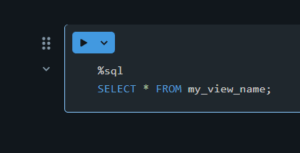
Once created, you can query a view just like you would query a table:
SELECT * FROM my_view_name;
Types of Views and Difference Between Them
Databricks supports several types of views, each with specific scopes and use cases:
1. Stored Views (Permanent Views)
Stored views are persistent objects saved in the metastore and available across sessions and clusters until explicitly dropped.
— Create a stored view
CREATE VIEW sales_summary AS
SELECT region, product, SUM(amount) as total_sales
FROM sales
GROUP BY region, product;

Key characteristics:
- Persisted in the metastore
- Available to all users with appropriate permissions
- Exists until explicitly dropped
- Referenced using fully qualified name (catalog.schema.view_name)
2. Temporary Views
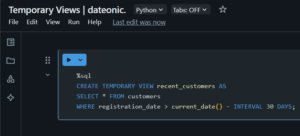
Temporary views exist only within the current Spark session and disappear when the session ends.
— Create a temporary view
CREATE TEMPORARY VIEW recent_customers AS
SELECT * FROM customers
WHERE registration_date > current_date() – INTERVAL 30 DAYS;
Key characteristics:
- Limited to the current Spark session
- Disappears when the session ends
- Not visible to other users or sessions
- No need for schema qualification when referencing
3. Global Temporary Views
Global temporary views are visible across all sessions within the same Spark application but disappear when the Spark application ends.
— Create a global temporary view
CREATE GLOBAL TEMPORARY VIEW active_sessions AS
SELECT user_id, session_start, session_duration
FROM user_activity
WHERE session_active = true;

Key characteristics:
- Available to all sessions within the same Spark application
- Stored in the global_temp database
- Must be referenced with the global_temp prefix
- Disappears when the Spark application terminates
4. Materialized Views
While not native to Databricks in the same way as traditional database systems, materialized views can be simulated using Delta tables that are refreshed on a schedule.
— Create a table that functions like a materialized view
CREATE TABLE materialized_summary AS
SELECT date, product, SUM(sales) as total_sales
FROM sales_data
GROUP BY date, product;

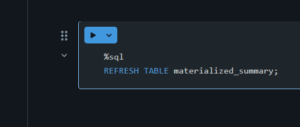
— Refresh the materialized view (must be done manually or via scheduled job)
REFRESH TABLE materialized_summary;
Key characteristics:
- Physically stores the results of the query
- Requires explicit refreshes to stay updated
- Provides faster query performance than regular views
- Implemented as Delta tables in Databricks
- Can be refreshed using scheduled notebooks, workflows, or jobs
| View Type | Best Use Case |
|---|---|
| Stored View | Simplify complex reporting by joining multiple tables for business analysts. |
| Temporary View | Perform quick, session-based analysis in notebooks (e.g., ad-hoc filtering). |
| Global Temporary View | Enable cross-notebook collaboration during development or debugging. |
| Materialized View | Boost dashboard performance with precomputed aggregates refreshed on schedule. |
Views vs Tables
To better understand when to use views versus tables, consider these key differences:
| Feature | Views | Tables |
|---|---|---|
| Storage | Virtual (no physical storage) | Physical storage of data |
| Data | Not stored, runs query each time | Stores actual data |
| Performance | May be slower (computes each time) | Generally faster for direct queries |
| Updates | Automatically reflects source data changes | Requires explicit updates/inserts |
| Space Usage | Minimal (only metadata) | Substantial (stores all data) |
| Best For | Abstracting complex logic, security | Storing query results, performance |
| Query Complexity | Can hide complex joins/logic | Simplifies subsequent queries |
| Freshness | Always current with source data | May contain stale data |
| Creation Speed | Fast (just saves query definition) | Slower (must write all data) |
| Materialized View | Stored physically like tables | N/A |
Limitations and Best Practices
While views offer many benefits, they come with limitations that need to be considered:
Limitations
- Performance impact: Views that reference multiple tables or other views can degrade performance, especially when they involve complex operations like joins, window functions, or aggregations.
- Query complexity: Deeply nested views (views that reference other views) can make it difficult to understand and optimize the actual query being executed.
- No indexing: Unlike tables, views cannot be indexed directly, which may impact query performance.
- Limited optimization: The query optimizer may struggle with complex view hierarchies.
- Dependency management: Changes to underlying tables can impact view functionality, sometimes in unexpected ways.
Best Practices
To help you get the most from views in Databricks, we’ve summarized key best practices into a visual guide. From performance tips to versioning strategies, this infographic highlights what to do—and what to avoid—when using views in production.

For enterprise-scale data management, views are often used as part of a broader data architecture strategy, such as the medallion architecture.
To learn more about implementing this approach, check out our detailed guide on what is medallion architecture in Databricks and how to implement it.
What’s Next?
After mastering views in Databricks, consider exploring:
- Medallion Architecture: Learn how views fit into the Bronze, Silver, and Gold layers of data quality in the medallion architecture. See our guide on medallion architecture implementation in Databricks.
- Delta Lake: Understand how Delta Lake enhances data reliability and provides ACID transactions for your tables.
- Unity Catalog: Explore how Databricks’ Unity Catalog can help manage and secure views across your organization. For more details, read our article on what is Unity Catalog and how it keeps your data secure.
- Databricks Workflows: Learn how to automate the refresh of materialized views and related data pipelines with Databricks workflows. Check out our guide on what are workflows in Databricks and how they work.
- Data Lakehouse Architecture: Understand how views fit into the broader lakehouse architecture that combines the best elements of data lakes and data warehouses. Read our comparison of data warehouse vs data lake vs data lakehouse architectures.
By implementing views effectively within your Databricks environment, you can create a more organized, secure, and performant data ecosystem that serves both technical and business users.
If you need expert guidance on implementing advanced data architecture solutions with Databricks, contact our team of specialists for professional assistance tailored to your organization’s needs.