
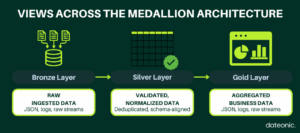
Views, as virtual query-based interfaces, play a pivotal role in The Medallion Architecture in Databricks by enabling data abstraction, governance, and efficient transformations.
In this technical guide, I explore how Views enhance Medallion Architecture, offering detailed explanations and practical SQL code examples for each layer. By leveraging Views effectively, organizations can achieve robust, high-quality data pipelines in Databricks.
What Is Medallion Architecture?
For a detailed overview of the Medallion Architecture—including how the Bronze, Silver, and Gold layers work—check out What is Medallion Architecture in Databricks and How to Implement It.
Why Views Matter in This Architecture
Views in Databricks are virtual tables defined by SQL queries, providing dynamic access to data without physical storage. In Medallion Architecture, views are essential for:
- Data Abstraction: Simplifying complex datasets by exposing only relevant fields or aggregated results to end-users.
- Governance: Enforcing fine-grained access controls through Unity Catalog, ensuring compliance with security policies (Databricks Unity Catalog Governance: 3 Proven Techniques).
- Efficiency: Reducing storage costs by avoiding redundant data copies during transformations.
Views enable flexible data modeling and secure access, making them indispensable for managing data across the architecture’s layers.
For foundational knowledge, refer to Understanding Views in Databricks: Basics and Use Cases.
Layer Breakdown
Each layer of Medallion Architecture serves a distinct purpose, with views facilitating data access and transformation. Below, we detail the Bronze, Silver, and Gold layers, including their roles, how they differ, and SQL code examples demonstrating view implementation.
Bronze Layer: Raw Data Ingestion
The Bronze layer ingests raw data from sources such as cloud storage, Kafka, or APIs, storing it „as-is” with minimal validation. Its purpose is to preserve the original data for auditing and traceability, often using flexible schemas (e.g., strings or VARIANT types) to accommodate changes. Views in this layer parse raw formats like JSON, providing a structured interface for downstream processing.
Parsing JSON Data with a View
— Create a Bronze table for raw JSON data
CREATE TABLE bronze_user_events
USING DELTA
LOCATION '/mnt/bronze/user_events’
AS SELECT * FROM json.`/mnt/source/user_events_json`;
— Create a view to parse JSON fields
CREATE VIEW bronze_events_view
AS SELECT
get_json_object(value, '$.user_id’) AS user_id,
get_json_object(value, '$.event_type’) AS event_type,
get_json_object(value, '$.timestamp’) AS event_timestamp,
get_json_object(value, '$.details’) AS details
FROM bronze_user_events;
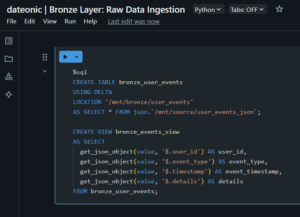
This view extracts key fields from JSON data, enabling structured queries without altering the raw storage. The Bronze layer is distinguished by its focus on data capture and minimal processing.
Silver Layer: Data Cleansing and Normalization
The Silver layer transforms Bronze data through cleansing, deduplication, and schema enforcement, producing validated datasets for analytics. It handles null values, resolves out-of-order data, and applies quality checks. Views in this layer expose cleaned, normalized data, often integrating multiple sources or applying business rules.
Validating and Normalizing Data with a View
— Create a Silver table with cleansed data
CREATE TABLE silver_user_events
USING DELTA
LOCATION '/mnt/silver/user_events’
AS SELECT
user_id,
event_type,
to_timestamp(event_timestamp) AS event_time,
details
FROM bronze_events_view
WHERE user_id IS NOT NULL
AND event_type IN (’click’, 'view’, 'purchase’)
AND event_timestamp IS NOT NULL;
— Create a view for normalized data
CREATE VIEW silver_normalized_events
AS SELECT
user_id,
event_type,
date_trunc(’day’, event_time) AS event_date,
trim(details) AS details
FROM silver_user_events
WHERE length(details) > 0;
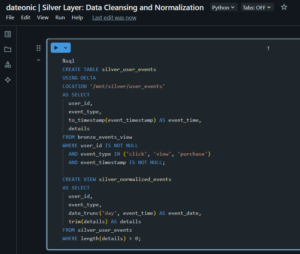
This view normalizes event timestamps to daily granularity and ensures data quality by filtering invalid records. The Silver layer is distinguished by its focus on data quality and structure, preparing data for advanced analytics.
Gold Layer: Business-Ready Datasets
The Gold layer aggregates Silver data into optimized datasets tailored for specific business needs, such as reporting or machine learning. It involves dimensional modeling, aggregations, and performance optimizations. Views in this layer provide curated, business-friendly access, often performing complex joins or aggregations.
Aggregating Data with a View
— Create a Gold table for daily user activity
CREATE TABLE gold_daily_user_activity
USING DELTA
LOCATION '/mnt/gold/daily_user_activity’
AS SELECT
event_date,
user_id,
count(*) AS total_events,
sum(CASE WHEN event_type = 'purchase’ THEN 1 ELSE 0 END) AS purchase_count
FROM silver_normalized_events
GROUP BY event_date, user_id;
— Create a view for top users by purchase count
CREATE VIEW gold_top_users
AS SELECT
event_date,
user_id,
total_events,
purchase_count
FROM gold_daily_user_activity
WHERE purchase_count > 0
ORDER BY purchase_count DESC
LIMIT 100;
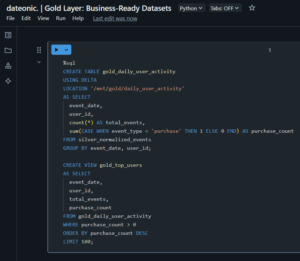
This view identifies the top 100 users by purchase count, optimized for business reporting. The Gold layer is distinguished by its focus on business-specific, high-performance datasets.
Views vs Delta Tables
Views and Delta tables serve complementary roles in Medallion Architecture. Views are virtual, defined by SQL queries, and do not store data, making them ideal for data abstraction and governance. Delta tables provide physical storage with ACID transactions, time travel, and schema evolution, ensuring reliability and performance. A detailed comparison follows:
| Feature | Views | Delta Tables |
|---|---|---|
| Storage | Virtual, no physical storage | Physical storage in Delta format |
| Performance | Computed on query, may be slower | Pre-computed, optimized for speed |
| Use Cases | Data abstraction, access control | Data persistence, analytics |
| Governance | Supports Unity Catalog controls | Supports Unity Catalog, auditing |
What’s Next?
To deepen your Databricks expertise, explore these technical resources:
- Top 5 Databricks Performance Techniques for 2025 for optimization strategies.
- What is Change Data Feed (CDF) and How Databricks Helps with Its Implementation for incremental processing.
- Databricks Jobs: Orchestrating Workflows for pipeline automation.
- Getting Started with Databricks: Creating Your First Cluster for foundational setup.
Mastering Medallion Architecture with views enables you to build scalable, governed data pipelines in Databricks. For expert guidance or tailored solutions, contact us at Contact Us.