
A lower hourly compute rate can still produce a higher bill. A faster job can consume more DBUs. And a cheaper pipeline is a poor trade if it misses the reporting deadline or needs repeated recovery runs.
Databricks cost optimization means reducing the cost of delivering a correct, reliable workload within its performance requirements. Start by connecting spending to the work it buys, then change the configurations, queries and operating practices responsible for avoidable consumption.
This guide follows six steps: establish a baseline, diagnose the largest cost drivers, choose an intervention, test it, validate the result and make the improvement stick.
What should you optimize first?
Use the symptoms in your environment to choose a starting point.
| What you see | Investigate first | Measure success with |
|---|---|---|
| Compute remains active between workloads | Idle time, termination settings and unused pool capacity | Lower idle spending without unacceptable restart delays |
| Scheduled production jobs use shared interactive compute | Workload placement and isolation | Total cost per successful run, including startup and retries |
| One pipeline dominates spending | Scans, joins, skew, spills and repeated processing | Cost per comparable input volume and completion time |
| Dashboards become expensive at busy times | Warehouse sizing, concurrency and refresh frequency | Cost at representative concurrency, queue time and query latency |
| Nobody owns a material share of the bill | Resource metadata, tags and allocation rules | A smaller unattributed cost bucket |
| Spending rises after every release | Configuration drift and workload changes | Stable unit cost with reliability and freshness maintained |
The most expensive workload is a candidate for investigation, not automatically a source of waste. It may be doing more valuable work than everything else on the platform.
Understand the cost boundary before comparing options
For classic compute, the relevant cost generally includes Databricks platform charges plus the cloud VMs, disks and other infrastructure used by that compute. Storage, network traffic and connectivity can add further charges.
For serverless services billed in DBUs, the managed VM cost is included in the Databricks charge. Adding an equivalent VM bill again would double-count it. Storage, networking and other applicable charges still need to be checked.
These distinctions appear in the official cost guidance for AWS, Azure and Google Cloud.
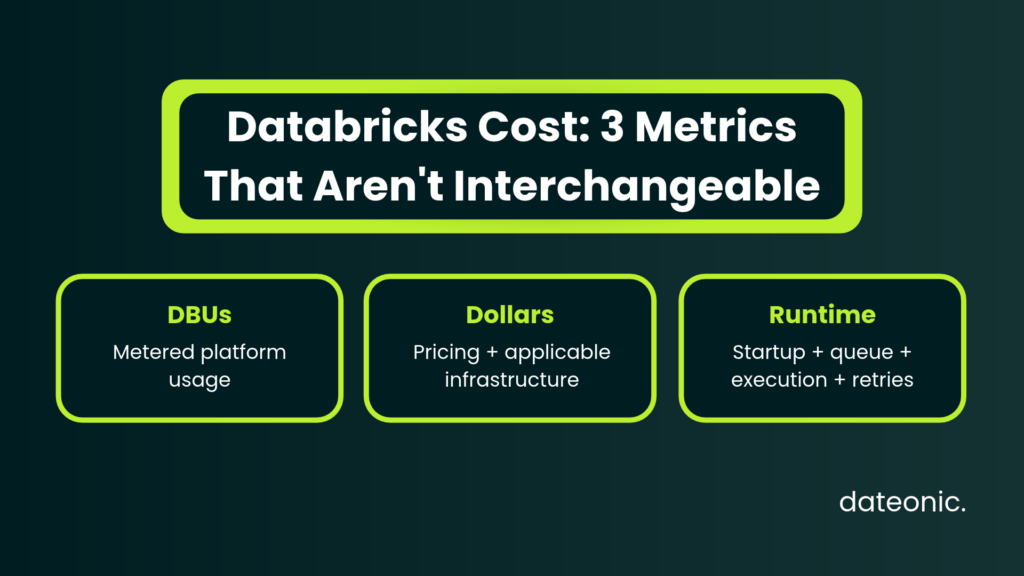
Keep three measurements separate:
- DBU consumption: metered usage for the relevant products and configurations.
- Monetary cost: usage priced under the applicable SKU, cloud, commercial terms and infrastructure model.
- Runtime: elapsed time, which can include startup, queuing, execution and retries.
None is a substitute for the other two. In particular, fewer DBUs across a different SKU mix do not necessarily mean a smaller invoice.
If you need rate calculations or a forecast, use the separate Databricks pricing guide. Here, the objective is to improve the economics of workloads you can measure.
1. Establish a baseline you can use to judge changes
Choose a period that captures the workload’s normal operating cycle, including relevant peaks. A month-end reporting pipeline needs a baseline that includes month-end; a quiet development week will not represent it.
For each major workload, record:
| Baseline field | Why it matters |
|---|---|
| Workspace, resource identifier and owner | Connects a charge to an accountable team |
| Product, SKU, cloud and region | Prevents comparisons across incompatible pricing assumptions |
| Input volume and processing pattern | Separates workload growth from declining efficiency |
| Run frequency, retries and failures | Captures spending beyond successful executions |
| Startup, queue time and execution time | Identifies where elapsed time is actually spent |
| Median and tail completion time | Exposes deadline risk hidden by an average |
| Databricks charges and attributable cloud charges | Establishes a consistent cost boundary |
| Output checks and freshness requirement | Keeps cheaper but incorrect results out of the comparison |
Start with billing records, then connect operational evidence
Databricks provides account-wide billable usage in system.billing.usage and historical list prices in system.billing.list_prices.
Access requires a Unity Catalog-enabled workspace and appropriate Unity Catalog permissions, including USE CATALOG, USE SCHEMA and SELECT on the relevant objects. Ask an administrator to grant access scoped to the analysis. System tables are read-only, and querying them consumes compute. See the system tables reference.
The following read-only query shows net DBU consumption over the previous 30 completed dates, grouped by workspace, cloud, SKU, product, job and team tag.
It helps locate consumption within a SKU; it does not calculate monetary cost or rank workloads by their financial impact. This example is documentation-validated and has not been executed in a Databricks workspace.
SELECT
  u.workspace_id,
  u.cloud,
  u.sku_name,
  u.billing_origin_product,
  u.usage_metadata.job_id AS job_id,
  COALESCE(u.custom_tags['team'], 'unassigned') AS team,
  SUM(u.usage_quantity) AS net_dbus
FROM system.billing.usage AS u
WHERE u.usage_date >= DATE_SUB(CURRENT_DATE(), 30)
  AND u.usage_date < CURRENT_DATE()
  AND u.usage_unit = 'DBU'
GROUP BY
  u.workspace_id,
  u.cloud,
  u.sku_name,
  u.billing_origin_product,
  u.usage_metadata.job_id,
  COALESCE(u.custom_tags['team'], 'unassigned')
ORDER BY
  u.workspace_id,
  u.cloud,
  u.sku_name,
  net_dbus DESC;
Read the result with three constraints in mind:
- Retain corrections. Signed usage includes retractions and restatements. Filtering to original records, or removing negative usage before aggregation, would produce incorrect corrected totals.
- Null job IDs are meaningful. Billing job identifiers are available for jobs compute and serverless jobs, but not jobs executed on all-purpose compute. Investigate
usage_metadata.cluster_idorusage_metadata.warehouse_idwhere populated, then document how shared charges are allocated. A null job ID is not a zero-cost workload. - DBUs are not money. Different SKUs can have different prices. The DBU filter excludes other billing units and all separately billed cloud costs; the table cannot show their contribution to total spending.
Use the billing schema to interpret the metering fields. For monetary analysis, the pricing schema provides historical public list prices, including effective promotional prices. These are not negotiated invoice prices.
A historical pricing calculation must check interval boundaries, open-ended prices, missing matches and duplicate matches. If a usage record spans a price change, assigning all its usage to a single price can misstate the result.
Do not assume usage was uniform across the interval to prorate it without supporting metering evidence. The diagnostic query above deliberately avoids that pricing join. Reconcile any monetary estimate with billing reports and keep unpriced usage visible before drawing financial conclusions.
For recurring dashboards and reporting setup, continue with the Databricks usage and cost monitoring guide.
When adding operational joins, check their scope and grain. Billing is global, while many operational tables are regional; configuration histories can contain several versions of the same resource, and run timelines can contain multiple intervals.
An unrestricted join can multiply costs. Follow the job cost and performance examples and reconcile the joined total back to billing.
Reconcile before optimizing
Compare the same date range, currency and cost basis across billing records, Databricks reporting and your cloud billing export. Explain discounts, credits, add-ons and shared infrastructure separately.
Billing data is delayed; it is not a real-time circuit breaker. Leave time for records and later corrections to arrive before closing an experiment. Keep unsupported attribution visible as an unallocated amount instead of distributing it with false precision.
2. Diagnose why the expensive workloads cost so much
Take the largest contributors from the baseline and inspect their execution behavior. A billing record identifies consumption; it does not explain whether the cause was an inefficient join, idle compute or repeated failures.
| Evidence | Likely explanation to test | Sensible next action |
|---|---|---|
| Long gaps between active stages | Driver-side work, orchestration gaps or external waits | Inspect the timeline and dependencies before adding workers |
| A few tasks run much longer than the rest | Skewed data or uneven work distribution | Examine keys, partition sizes and the final join plan |
| Substantial shuffle spill | Memory pressure or an expensive execution plan | Improve the plan, then test a suitable memory configuration |
| Large repeated scans for a small output | Ineffective filtering, layout or repeated full processing | Inspect scan metrics and opportunities for incremental processing |
| Frequent retries or restarts | Capacity interruptions, unstable code or resource exhaustion | Fix the failure mechanism and include recovery cost |
| Low CPU while runtime remains high | I/O, skew, external services or limited parallelism | Identify the limiting stage before shrinking or expanding compute |
For classic Spark workloads, use the Spark UI diagnostic workflow: inspect the jobs timeline, the longest stage, skew and spill, then I/O and other bottlenecks. Average cluster CPU alone is too coarse to make a sizing decision.
For SQL warehouses and serverless notebooks or jobs, inspect query history and query profiles. system.query.history provides statement-level evidence for these compute surfaces; it is not a complete history of every query on classic compute. See the query history reference.
Prioritize experiments by affected spending, evidence of waste, implementation effort and production risk. Removing unused development capacity is a different decision from rebuilding a stateful pipeline.
Record the hypothesis, owner, expected effect and rollback for each candidate; reserve major architectural work for problems whose size and cause justify it.
Not sure where your Databricks budget is going? A Dateonic Databricks Health Check reviews architecture, workloads, performance, cost and governance to help identify the changes worth investigating before altering production.
3. Match compute to the workload, then tune its behavior
Move scheduled work off shared interactive compute where appropriate
For scheduled batch processing, compare serverless jobs with classic jobs compute instead of defaulting to an existing all-purpose cluster. Jobs compute provides workload isolation and can avoid the idle lifecycle of shared interactive resources.
Serverless removes much of the infrastructure configuration work.
Include startup and dependency installation in the comparison. If several compatible tasks run in sequence, reusing jobs compute within a multi-task job can avoid repeated startups.
Balance that against isolation, contention and the lifetime of the shared resource. The official Azure cost guidance explains jobs compute and multi-task reuse.
Interactive development still has a legitimate compute requirement. The optimization opportunity is to give each workload an appropriate operating model, rather than force every user onto one compute type.
Evaluate serverless as a workload decision
Serverless supports more than BI: relevant offerings include notebooks, jobs, SQL warehouses and pipelines. It is not a universal per-query billing model.
Compare total workload cost, operational effort and required controls. For serverless notebooks and jobs, check language and API support, dependencies, networking, data access and supported Spark settings before moving a workload.
Classic compute policies and compute-scoped init scripts do not apply to that surface. The current limitations should be part of the migration review.
For eligible batch jobs, also compare the available standard and performance-optimized modes. Startup sensitivity and end-to-end deadlines should determine the choice. Use query profiles for serverless diagnosis; the classic Spark UI is unavailable there.
See serverless best practices.
Remove idle capacity without creating new delays
Set interactive auto-termination around observed working patterns and restart tolerance. A timeout that looks economical in isolation may create repeated warm-up or installation costs during normal use.
For classic compute, test autoscaling minimums and maximums against representative workload stages. A high minimum can preserve idle capacity; a low maximum can extend execution or prevent deadlines being met.
Short jobs may finish before added workers become useful. Streaming requires particular attention to state and backlog rather than assumptions borrowed from batch jobs.
Check instance pools separately. Idle pool instances incur cloud-provider charges even though they do not consume DBUs while idle in the pool. Terminating a cluster does not necessarily remove its pool’s idle infrastructure cost.
Review minimum idle capacity and idle-instance termination settings in the pool configuration reference.
Right-size using bottlenecks and successful-run cost
Test a small set of plausible configurations against the same input and service requirement. Record driver behavior, executor memory, spill, parallelism and end-to-end cost. More workers will not fix serial driver code, an external API bottleneck or a badly skewed join.
Use the cluster right-sizing guide for the sizing topic and the broader Databricks cluster optimization guide for compute configuration. The decision here is which change produces a measurable improvement across the workload.
Test Photon against the actual cost boundary
Photon accelerates supported SQL and DataFrame operations. Unsupported operations can fall back to Spark, and UDF-heavy execution should not be assumed to receive the same benefit as supported operators.
Photon is enabled on serverless compute and SQL warehouses. On applicable classic compute it can be configured; API-created compute requires explicit enablement. Photon and non-Photon instances can consume DBUs at different rates.
Check the execution profile and billed usage rather than assuming that faster execution means fewer DBUs. See the Photon documentation.
For an illustrative classic-compute comparison, a workload costing $20 per hour for 60 minutes costs $20. Another configuration costing $32 per hour for 30 minutes costs $16.
That is a 20% reduction in the defined run cost, despite a higher hourly rate. These illustrative inputs are not Databricks prices or a customer benchmark. Include startup, retries and other affected costs in a real test.
For DBU-specific investigation, see the separate guide to reducing DBU consumption.
Treat spot savings as an infrastructure trade-off
On supported classic configurations, spot workers can lower the cloud VM component. They do not discount the Databricks DBU rate; interruptions can increase runtime, DBUs and recovery spending.
Favor restartable work with tested retries, durable outputs and enough deadline tolerance. Keep the driver on demand and verify provider-specific availability and fallback behavior.
Compare cost per successful completion under interruptions, not just the advertised VM discount. See classic compute best practices and Dateonic’s spot-instance guide.
Tune SQL warehouses for both latency and concurrency
Warehouse size and the number of clusters solve different problems. Increasing size can help a memory-constrained query; additional clusters address concurrent demand. Check queueing and spill before changing either.
Benchmark a representative dashboard refresh and its busy period. Include refresh frequency, redundant queries and idle time, then select an auto-stop setting compatible with the experience users need. Databricks documents these distinctions in SQL warehouse sizing, scaling and queuing.
4. Reduce the work your pipelines and queries perform
Compute tuning has limits if the workload repeatedly processes data it does not need.
Fix the expensive execution path
Start with a specific query and a question: is it reading too much, moving too much data or doing the same transformation repeatedly?
For example, this documentation-validated plan inspection uses placeholder business tables and columns. It has not been executed in a Databricks workspace:
EXPLAIN FORMATTED
SELECT customer_id, SUM(net_amount) AS revenue
FROM analytics.sales.orders
WHERE order_date >= DATE '2026-09-01'
  AND order_date < DATE '2026-10-01'
GROUP BY customer_id;
Replace the identifiers with tables you can read. Inspect the scan and filters, exchanges and aggregation plan. Then compare the completed query’s actual scan and execution metrics. EXPLAIN shows a plan; it does not run the query or prove a saving.
Use evidence to choose the change:
- Read only the columns and time range the result requires.
- Inspect join cardinality and unexpected row multiplication before forcing a join strategy.
- Remove repeated full-history processing when an incremental design can preserve correctness, including late arrivals, updates, deletes and backfills.
- Materialize a reused intermediate result only when its avoided recomputation justifies refresh, storage and maintenance costs.
- Investigate repeated actions, unnecessary caching and redundant downstream refreshes.
Adaptive query execution is enabled by default and can adjust supported batch plans using runtime statistics. Inspect its final decisions before overriding settings. An initial EXPLAIN plan cannot show changes that require execution. See the AQE reference.
Make table maintenance earn its cost
For Delta tables, choose layout from observed predicates, file pruning and write patterns. Liquid clustering is an alternative to partitioning and Z-ordering; these are not three optimizations to stack on the same table.
Clustering still involves maintenance work. Check runtime and reader compatibility before changing table features. See liquid clustering.
Predictive optimization can automatically run OPTIMIZE, VACUUM and ANALYZE for eligible Unity Catalog managed tables. It requires a supported region, the appropriate plan and supported compute.
It does not cover external tables, and its serverless maintenance compute is billed. Check whether it is already enabled before retaining overlapping maintenance jobs. The predictive optimization reference provides eligibility and configuration requirements.
Measure the combined effect: query cost plus write overhead, maintenance and storage. Frequent rewrites of a lightly queried table can cost more than the scans they avoid.
VACUUM can reclaim eligible obsolete files, but retention protects time travel and workloads that still need historical files. Review recovery requirements and running readers before changing retention. Do not shorten it simply to make a storage chart decline. See the VACUUM documentation.
5. Validate savings without hiding performance or reliability losses
Run controlled comparisons on the same input snapshot where possible. When production inputs vary, record their size and characteristics and compare equivalent processing cycles. Separate cold and warm runs, and repeat enough times to expose normal variability.
Change one major factor at a time. Otherwise, a runtime upgrade, a layout change and a larger cluster can produce a result that nobody can explain or reproduce.
Agree acceptance criteria before the test:
| Dimension | Example acceptance condition |
|---|---|
| Correctness | Reconciled outputs and critical data checks pass |
| Performance | Completion and tail latency remain within the workload’s agreed SLA |
| Reliability | Failure, retry and recovery behavior remains acceptable |
| Cost | Lower cost per comparable successful outcome, including affected infrastructure |
| Attribution | Billing coverage and shared-cost assumptions are documented |
| Operations | The team can deploy, observe and reverse the change |
These are categories for your test, not universal numerical thresholds.
Calculate successful-run cost by dividing total workload cost, including failed attempts and retries, by successful outcomes. For variable-volume pipelines, also track a relevant unit such as cost per TB processed or per million records.
Check that the unit captures equivalent work: one TB of simple ingestion is not equivalent to one TB of complex transformations.
Keep realized savings separate from avoided growth. A stable monthly bill while processing more data can be an efficiency improvement, but it is not a reduction in cash spending. Under a committed contract, reduced usage may free capacity without immediately reducing the invoice.
Only project annual savings after confirming workload frequency, demand and contract assumptions. Subtract implementation and ongoing operating effort when assessing whether the change is worth maintaining.
6. Prevent the next cost regression
Give each production workload a technical owner and a budget owner. Use a consistent tag vocabulary such as team, project, environment and cost_center, then monitor coverage.
Resource identifiers and ownership records can help allocate spending when tags are absent; missing tags should not make charges disappear.
Begin with showback: report the costs each team generates. Move to chargeback, where budgets are actually charged, only after agreeing allocation rules for shared warehouses, pools and platform services.
Keep direct charges, allocated shared costs and unallocated spending distinguishable.
Serverless usage policies add attribution tags to supported serverless billing records. They are separate from classic compute policies and do not themselves create a spending cap.
Existing assets need their policy assignment checked; granting an owner access to a policy does not automatically update every job or notebook.
For classic compute, use compute policies to restrict allowed configurations, require tags and constrain resource growth. Review creation entitlements as well, so a policy is not merely an optional choice beside unrestricted creation.
Set budgets and alerts with named responders and an action plan. Account budgets use USD list-price spending; they are not a reconciliation of negotiated invoice cost. Treat general budget alerts as notification controls.
Product-specific enforcement, such as supported Unity Gateway request blocking, has a narrower scope and is not a universal stop for compute spending. See budgets.
For Databricks on AWS, the current documentation lists serverless rate limits in Private Preview. These constrain executor autoscaling for supported automated workloads; they are approximate, apply per workload and exclude other cost components.
They are not an account-wide monetary ceiling. Confirm availability before designing around them. See serverless compute management.
In the regular review, track total spend alongside cost per successful outcome, retries, freshness and attribution coverage.
Recheck the baseline after changes to data volume, concurrency, runtime, schema, warehouse configuration or refresh schedules. A cheaper deployment that gradually accumulates retries is a regression worth catching early.
A practical first-month optimization plan
| Period | Engineering work | Reviewable output |
|---|---|---|
| Week 1 | Reconcile billing, inventory major workloads and document service requirements | A baseline with owners, cost boundaries and attribution gaps |
| Week 2 | Profile the largest contributors and select low-risk experiments | A prioritized backlog with evidence, expected effects and rollback plans |
| Week 3 | Test compute, scheduling or query changes in controlled conditions | Before-and-after results for comparable workloads |
| Week 4 | Roll out accepted changes and assign ongoing controls | A validated results register, alerts and an ownership cadence |
The timing is an example planning sequence, not a promised engagement duration. Start with a few changes whose effects you can explain. Fixing idle capacity or a repeated full scan is often easier to validate than changing the architecture of a critical streaming pipeline.
Questions teams ask about Databricks cost optimization
How can we reduce Databricks costs without slowing production?
Begin with idle capacity, repeated processing, failed attempts and inappropriate workload placement. For changes that affect execution capacity, define the production SLA first and test cost and performance together. Keep a change only when the results meet the agreed acceptance criteria.
Is serverless always cheaper than classic compute?
No. Compare the same workload, concurrency, service requirement and cost boundary, including classic infrastructure charges and serverless charges. Compatibility, operational effort and commercial commitments can change the decision as much as execution time.
Turn the baseline into an engineering backlog
Useful cost optimization ends with evidence: which workload changed, how much comparable work it completed, what it cost and whether it remained correct and reliable.
If your team needs an independent assessment, Dateonic’s Databricks Health Check covers architecture, performance, cost, governance and reliability, with a prioritized roadmap for improvement.
For agreed changes that require hands-on platform or workload engineering, explore Dateonic’s Databricks implementation and consulting services.